Payout API: sending payments from your own system
August 28, 2026
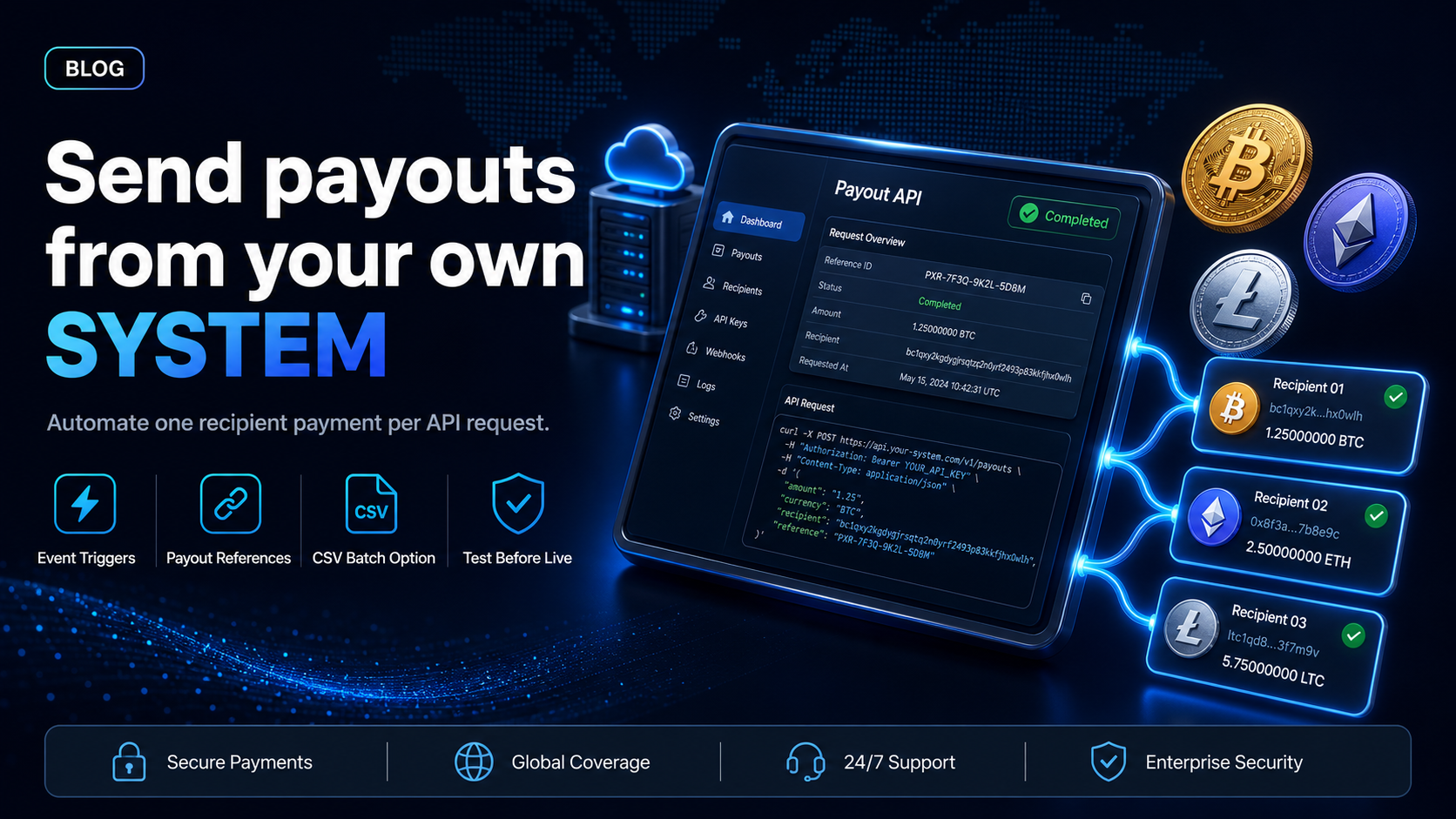
A payout API is an endpoint your own system calls to send money to a recipient. Your code supplies the destination, the amount, and the asset. The provider creates the payout and returns a reference you can store against your own records. Nobody signs into a dashboard, and nobody re-keys a spreadsheet.
EukaPay's Payout API does that for crypto payouts, and it creates one payout per request. Paying a whole recipient list at once is a separate route: a CSV upload in the merchant dashboard. This guide covers both routes and what to require before you integrate.
In this guide, you'll learn:
What a payout API sends and what it returns
How EukaPay's Payout API and CSV upload route differ, and who uses each
What to require from a payouts API before you write the integration
Whether a single request can pay more than one recipient
What a payout API does when your system calls it
A payout API turns a payment into an event your own software triggers. The trigger belongs to you: a commission clearing a holding period, a creator crossing an earnings threshold, or an approved supplier invoice. Your system already knows when those things happen, so it can create the payout at the moment the condition is met instead of waiting for someone to open a dashboard.
That matters most when payout timing is a product feature rather than a monthly chore. A marketplace that releases a seller's money on delivery can create the payout from the delivery event itself.
The request - what your system sends to create one payout
With EukaPay, one request creates one payout. The request carries the destination, the amount, the asset, and the network. Asset and network are set per payout, so one recipient can be paid in USDC on Ethereum and the next in USDT on Tron. Payouts are sent in USDC, USDT, ETH, and BTC, on Ethereum, Tron, and Bitcoin.
Keep your own recipient list in your own database. Your system is where a publisher's preferred asset, network, and destination belong, because your system is what onboarded them.
The response and the payout reference - what comes back
Each EukaPay payout has its own reference that can be looked up. Store that reference against the commission line, the earnings record, or the invoice it settles. When a recipient asks where their money went, support has one identifier to search on. Month-end gets a per-payout key instead of a bank line to match by hand.
Funding - the payout balance is topped up from the account balance
Fund the payout balance before you create payouts. You do that by transferring from the account's main balance, which is a documented step of its own. Treat it as the first step of the run.
How to choose between the Payout API and CSV upload
Payout API | CSV upload in the merchant dashboard | |
|---|---|---|
Who sends it? | Your own system | A person in the merchant dashboard |
Recipients per action | One payout per request | A recipient list in one file |
Coding required? | Yes | No |
Typical user | Platforms paying recipients on their own trigger | Finance teams running a periodic payout run |
EukaPay ships both routes on the same account, so choosing one now does not lock you out of the other. The API suits recipients paid on an event, and the CSV upload suits a scheduled run a person reviews before it goes. A company can use the file for the monthly cycle and the endpoint for early payout requests in between. If you are still deciding how the run itself should work, read the guide to
mass payments and how a payment run works
.
What to require from a payouts API before you integrate
A payouts API is easy to demo and harder to live with. Three requirements decide the difference, and all three can be checked before your developer (or coding agent) writes a line of integration code.
Asset and network coverage - which cryptocurrencies the API can send
Confirm the send side, not the receive side. A provider's pay-in list is usually longer than its payout list, and a recipient promised an asset the endpoint cannot send is a support ticket you created yourself. EukaPay's payout side is USDC, USDT, ETH, and BTC, on Ethereum, Tron, and Bitcoin. USDC and USDT are both of EukaPay's payout stablecoins.
A staging environment - testing the integration before real money moves
EukaPay provides a staging environment for development, so your first payout request can be a test rather than a live transfer. Build the error handling there. We cover the approach in more detail in
testing payments in a sandbox before going live
.
A per-payout reference - one identifier your ledger can carry
Ask what identifier comes back and whether it can be looked up later. A payout your accounting system cannot match to a line item becomes a reconciliation problem at every close. EukaPay returns a reference per payout for exactly that purpose.
Does a payout API let you pay many recipients in one request?
With EukaPay, no. The Payout API creates one payout per request, and there is no endpoint that accepts a list of recipients. To pay many people you have two options. Your own system can call the endpoint once for each recipient, which is the right choice when the payouts are triggered separately anyway. Or you upload the recipient list as a CSV file in the merchant dashboard, which is the route built for a large recipient list.
Scope the work around one payout per request. An integration built on the assumption that the endpoint takes a list of people has to be rewritten later. That rewrite usually lands in the week of a payout run. For the shape of a large recurring run, see
crypto mass payouts for contractors and affiliates
, and for the wider move off manual transfers, see
.
One platform for crypto pay-ins, payouts, and fiat settlement
The Payout API sits on the same EukaPay account as the collection side. That means one integration and one set of records for money in and money out. That account gives you instant crypto-to-fiat conversion at a locked exchange rate to remove your exposure to crypto price swings, support for most major cryptocurrencies, and settlement in USD, EUR, GBP, and CAD to your bank account. The locked rate is applied on every conversion by default, on pay-ins and on payouts. A crypto payment confirms on-chain, so protection against chargebacks is a property of the payment method.
Payouts created through the API are not tied to banking hours or the banking calendar. If your recipients are in markets your acquirer serves poorly, an endpoint your own system can call is the difference between a payment schedule you set and one the correspondent banking chain sets for you.
Get started with EukaPay
Create an account at
, complete verification, provide your legal business information, then generate an API key. The endpoint reference for payouts, balance transfer, invoices, subscriptions, and customers lives at
, and the
covers the dashboard side. For the integration itself, read
how EukaPay's API integration works for developers
.
Frequently asked questions
What is a payout API?
A payout API is an endpoint your own system calls to send money to a recipient, instead of a person creating the payment in a dashboard. Your code supplies the destination, the amount, and the asset, and the provider creates the payout.
Can one payout API request pay more than one person?
Not with EukaPay. The Payout API creates one payout per request. To pay a list of people at once, upload the list as a CSV file in the merchant dashboard.
Which cryptocurrencies can EukaPay's Payout API send?
USDC, USDT, ETH, and BTC, on Ethereum, Tron, and Bitcoin. The asset and network are set per payout, so different recipients in the same run can receive different assets.
How do I fund payouts before calling the API?
Transfer from your account's main balance into the payout balance. That transfer happens before any payout request is created.
Can I test a payout integration before real money moves?
Yes. EukaPay provides a staging environment for development, so you can build and check the integration before sending a live payout.
How do I track a payout after the API creates it?
Each payout has its own reference that can be looked up. Store it against the record the payout settles, so support and month-end both have a single identifier.
Do I need the API to send payouts at all?
No. Mass payouts run from a CSV upload in the merchant dashboard with no code, and the API can be added later without changing accounts.
Related articles
Mass payments and how a payment run works
- what a payment run is, and the steps one moves through.
- moving recipient payments off checks, wires, and manual transfers.
Crypto mass payouts for contractors and affiliates
- paying a large recipient list on a recurring cycle.
Products
Use Cases
© 2026 EukaPay. All rights reserved.
FINTRAC: M22233887