How EukaPay's API Integration Works for Developers: A Step-by-Step Walkthrough
May 19, 2026
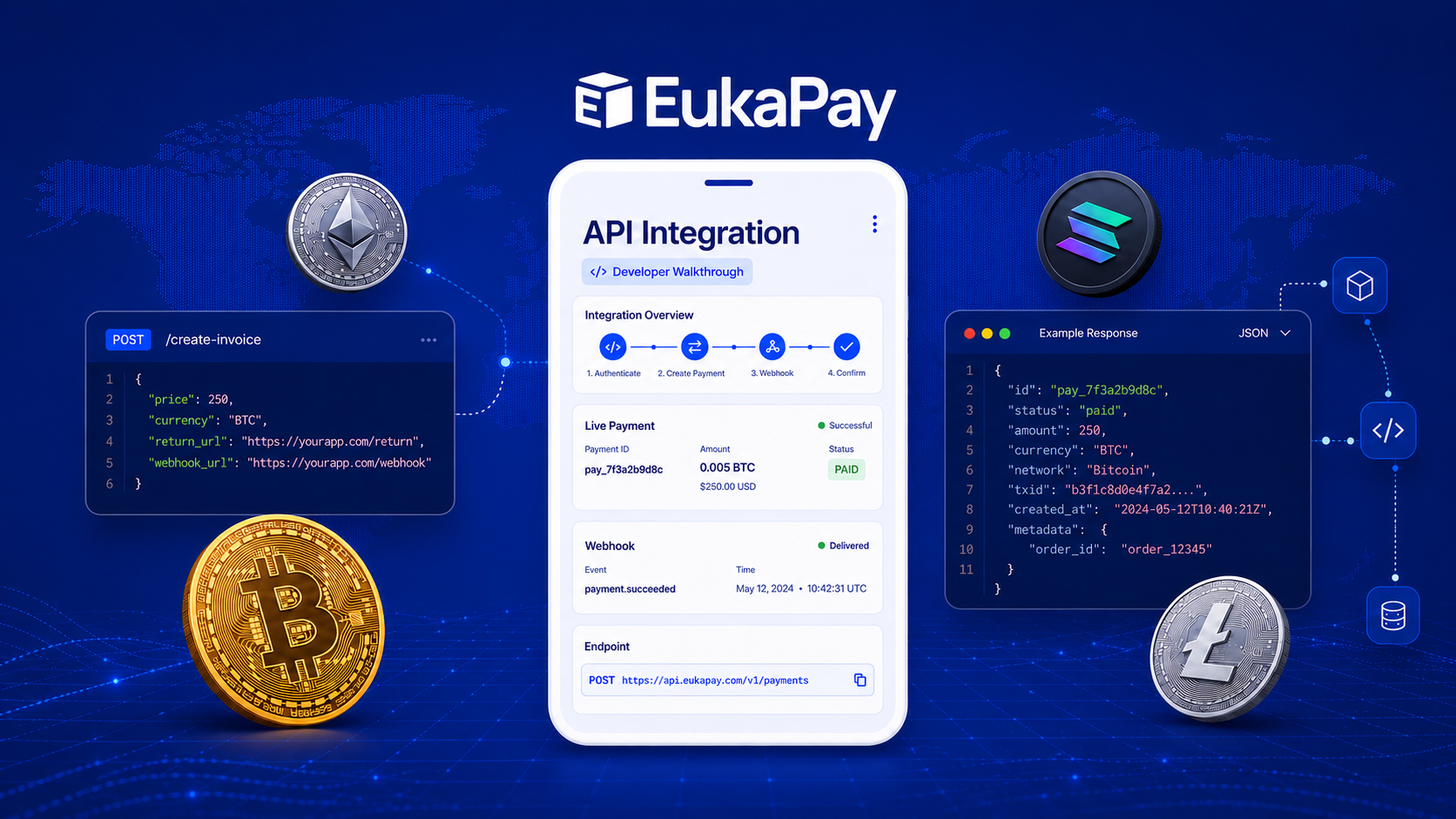
Most businesses that decide to accept stablecoin or crypto payments hit the same wall. The idea is straightforward enough: let customers pay with Bitcoin, Ethereum, USDC, USDT, or other stablecoins, and receive the equivalent in fiat. The execution, however, has historically required managing wallets, tracking volatile exchange rates, reconciling transactions manually, and building custom infrastructure from scratch.
EukaPay was designed to remove that burden entirely, and its REST API is the mechanism through which developers (or coding agents) can wire stablecoin or crypto payment acceptance directly into their applications without touching a single wallet.
This guide walks through the full integration, from account setup to live transactions - the payment flow, webhook handling, crypto payouts, and the production safeguards that keep a payment system reliable under real-world conditions.
In this guide, you'll learn:
What the EukaPay API does (and does not) handle for you
How to get from signup to a verified, key-issued, sandbox-ready account
The invoice → checkout → webhook payment flow end-to-end
The production safeguards (idempotency, request IDs, pagination) that keep things reliable at scale
What the API does
Before touching any code, it helps to understand what EukaPay's API is and is not. It is not a wallet management system. Developers integrating with EukaPay do not handle private keys, custody crypto assets, or worry about exchange-rate exposure. The platform converts incoming stablecoin or crypto to fiat (or holds it as stablecoin) at the moment of transaction, which means the volatility risk is absorbed before the funds ever reach a merchant's account.
The API is RESTful and covers the full surface area of EukaPay's dashboard: creating and managing invoices, tracking payment status, triggering crypto payouts to recipients, and receiving real-time event notifications through webhooks. EukaPay provides sample calls in both cURL and JavaScript, and a Postman Collection is available for developers who prefer a GUI environment for testing.
Step 1: Create your account and complete verification
API access begins with an account at
, but registration alone is not sufficient. EukaPay is a regulated payment processor and merchants must complete the full onboarding and business verification process before they are permitted to send or receive funds. This means submitting legal business information during the onboarding flow, not just registering an email address.
The verification requirement reflects the compliance obligations that come with operating in the payments space, and it protects both the merchant and EukaPay's broader user base. Developers building for a client should plan for this step to take some time and should not assume API credentials are available immediately after signup.
Step 2: Issue your API key
Once the account is verified, API keys are generated from the EukaPay dashboard under Settings → Integrations → API Keys. The platform issues a private secret key prefixed with "sk_" and further tagged with either "_test" or "_live" depending on the environment. Test mode keys let developers simulate the full payment lifecycle without processing real transactions. All development and QA work should happen against test keys before a live key is ever used.
Keeping the secret key secure is non-negotiable. It should never appear in client-side JavaScript, never be committed to a public GitHub repository, and never be included in any frontend code. All API requests must be made server-side, over HTTPS, with the key passed as a request header. Calls made over plain HTTP or without authentication will fail.
Step 3: Understand the payment integration flow
The core mechanic of EukaPay's payment system is the invoice. When a customer is ready to pay, the merchant's server calls the Invoices API to create a payment request. The API returns a URL pointing to EukaPay's hosted stablecoin or crypto payment page, where the customer can complete the transaction using any supported crypto wallet.
If a redirect URI is included in the invoice request, EukaPay's payment page will send the customer back to the specified URL after payment is confirmed. For e-commerce flows, this is typically the order confirmation page. For SaaS products, it might be a dashboard view showing an active subscription.
The flow, step by step:
The customer initiates checkout.
The merchant's server creates an invoice via the API.
The customer is sent to EukaPay's hosted payment page.
The customer pays with stablecoin or crypto.
EukaPay converts the funds to fiat (or holds as stablecoin) at the moment of transaction.
A webhook fires to confirm the payment.
The customer is redirected back to the merchant's platform.
The merchant's application only ever deals with familiar concepts: invoice creation, payment confirmation, and redirects. EukaPay handles everything on the crypto side.
Step 4: Handle webhooks
Polling an API repeatedly to check whether a payment has been confirmed is inefficient and brittle. EukaPay's webhook system eliminates that need by pushing real-time event notifications to a URL the developer registers in the dashboard under Settings → Integrations → Webhooks.
Webhooks are HTTPS POST requests containing a JSON payload describing the event. EukaPay fires webhooks for eight event types. On the payments side: when a payment is completed and matches the invoiced amount, when a payment comes in short of the invoiced amount, when a payment exceeds the invoiced amount, and when a refund is successfully processed. On the payouts side: when a payout request is created, when a payout is successfully broadcast to the blockchain network, when an error occurs during payout processing, and when a payout is canceled before it is sent.
Each payload includes a unique webhook ID, the event type, the invoice or payout code, the amounts involved, the currency, and the timestamp. For completed payout events, the payload also includes the blockchain transaction hash, which can be independently verified on a block explorer.
Because a webhook endpoint is a public HTTPS URL, any actor on the internet could attempt to send a fake payload to it. EukaPay signs every webhook with a signature header using an HMAC SHA-512 algorithm keyed to the merchant's secret key. Verifying this signature server-side before acting on any webhook payload is essential for production systems. If a webhook delivery fails, EukaPay retries every 20 minutes for up to two hours before removing the event from the retry queue.
Step 5: Send crypto payouts via API
Beyond accepting payments, EukaPay's API supports outbound
, which is useful for platforms that need to pay contractors, affiliates, or users in stablecoin or crypto. The Crypto Payout API allows developers (or coding agents) to programmatically send funds to recipient wallet addresses without building any custody infrastructure.
The payout flow is designed to support mass payouts to multiple recipients, making it applicable for payroll scenarios, affiliate networks, or any application that needs to distribute funds at scale. Payout webhooks keep the merchant's system informed at every stage: when the payout is created, when it is broadcast on-chain, and if anything goes wrong along the way.
Step 6: Build for production
Moving from a test integration to a live one involves more than swapping a test key for a live key. Several API features exist specifically to make production systems reliable.
Idempotency
Network failures happen. A request that fails without returning a response leaves the calling system uncertain whether the operation actually completed. Without idempotency, retrying a failed invoice creation could result in two invoices being generated for the same order. EukaPay solves this with an idempotency key header. The client generates a unique value (EukaPay recommends V4 UUIDs) and includes it with the request. If the same key is sent on a retry, EukaPay returns the result of the original request without creating a duplicate. Keys older than 24 hours are automatically cleared from the system. Using idempotency keys on all POST and PUT requests is strongly recommended.
Request IDs and error handling
Every API response includes a request ID that uniquely identifies the server-side transaction. Including this ID when contacting EukaPay support dramatically speeds up diagnosis of any issue. The API returns standard HTTP status codes for errors, which should be handled explicitly in application code rather than treated as generic failures.
Pagination
Endpoints that return lists, such as invoices and payouts, support pagination. Applications that retrieve historical records or build reporting dashboards should implement pagination properly to avoid timeouts and incomplete datasets.
AI-assisted development
For developers (or coding agents) building against EukaPay's API using AI tools, EukaPay provides both an MCP server and an llms.txt file, both documented at
. The MCP server allows AI development environments to query EukaPay's API documentation directly, which can accelerate integration work considerably.
Putting it together
EukaPay's API is structured around a small number of core concepts: invoices for accepting payments, webhooks for real-time event handling, and payouts for sending funds. The authentication model is simple, the test environment mirrors production behavior, and the platform handles the stablecoin or crypto custody and conversion complexity that would otherwise require significant infrastructure investment.
For developers and coding agents building payment flows into e-commerce stores, SaaS products, or custom applications, the path is well-defined. Read the documentation at
, register an account, complete verification, issue a test key, and build against the sandbox before going live.
One platform underneath
Every step in this walkthrough runs on the same underlying infrastructure, regardless of which endpoint a developer (or coding agent) calls. Incoming stablecoin or crypto payments are converted instantly at a locked exchange rate, which removes crypto volatility from the transaction entirely - the amount invoiced is the amount settled. Once a payment is confirmed on-chain, it cannot be reversed by the customer, which protects merchants from the chargebacks common in card processing. The platform supports a wide range of cryptocurrencies on the receiving side, and settles out to a merchant's bank account in USD, EUR, GBP, or CAD. For teams weighing whether to build against the API directly or use one of EukaPay's other checkout options first,
see our guide to choosing between Invoices, Payment Links, Custom Checkouts, and the API
.
Get started with EukaPay
and explore the dashboard, or
if you're ready to build. Settlement is supported in USD, EUR, GBP, and CAD, and accounting integrations are available for Xero and QuickBooks.
Frequently asked questions
Do I need to manage crypto wallets or private keys myself?
No. EukaPay's API is not a wallet management system, so developers integrating with it do not handle private keys or custody crypto assets. The platform converts incoming stablecoin or crypto to fiat, or holds it as stablecoin, at the moment of transaction.
What's the difference between test and live API keys?
API keys are issued from the dashboard under Settings → Integrations → API Keys and are prefixed with "sk_" then tagged "_test" or "_live". Test mode keys simulate the full payment lifecycle without processing real transactions, and all development and QA work should happen against test keys before a live key is used.
How do idempotency keys prevent duplicate invoices?
Each request can include a unique idempotency key, such as a V4 UUID, in a request header. If the same key is sent again after a failed or uncertain response, EukaPay returns the result of the original request instead of creating a second invoice. Keys older than 24 hours are automatically cleared.
How does EukaPay notify my system when a payment completes?
Through webhooks. EukaPay pushes an HTTPS POST request with a JSON payload to a URL registered in the dashboard under Settings → Integrations → Webhooks whenever a payment is completed, comes in short, exceeds the invoiced amount, or is refunded. Each webhook is signed with an HMAC SHA-512 signature so the payload can be verified server-side before it's acted on.
Can I send crypto payouts through the API?
Yes. The Crypto Payout API lets developers (or coding agents) programmatically send stablecoin or crypto to recipient wallet addresses, including mass payouts to multiple recipients, without building custody infrastructure. Payout webhooks report on creation, on-chain broadcast, cancellation, and errors.
Which currencies does EukaPay settle in?
EukaPay settles to a merchant's bank account in USD, EUR, GBP, or CAD.
Is there an MCP server or llms.txt for AI-assisted development?
Yes. EukaPay provides both an MCP server and an llms.txt file, documented at docs.eukapay.com, so AI development environments can query EukaPay's API documentation directly while a developer (or coding agent) builds an integration.
Do I get API access as soon as I sign up?
Not immediately. EukaPay is a regulated payment processor, so every merchant must complete onboarding and a business verification review before sending or receiving funds. A sandbox is available to build and test against while that review is underway.
Products
Use Cases
© 2026 EukaPay. All rights reserved.
FINTRAC: M22233887