How to test stablecoin payments before going live
August 26, 2026
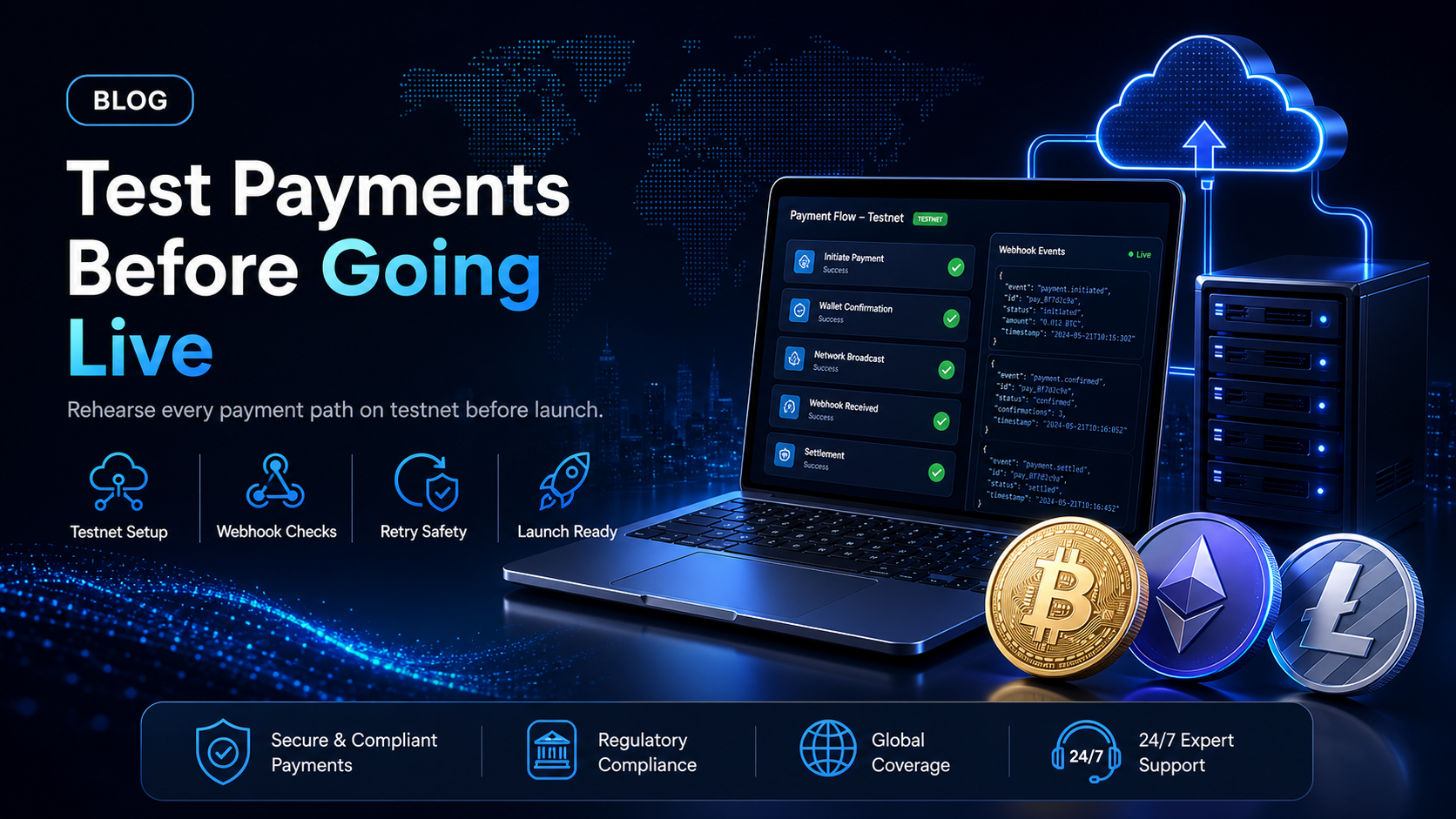
A step-by-step rehearsal for the stablecoins or crypto payment flow you are about to ship, run entirely on testnet funds.
A card integration gives a developer (or coding agent) a short list of things to test. The charge succeeds, the charge is declined, the refund lands. Stablecoins or crypto add cases that have no card equivalent: a customer who sends 90% of the invoiced amount, a customer who sends 110%, a webhook that arrives twice, and a blockchain confirmation that takes longer than the checkout session.
Every one of those cases can be rehearsed before a single real dollar moves. This guide covers how to test stablecoin payments on EukaPay's staging environment using testnet coins, which webhook events to assert against, and what to change on the day you switch to production.
In this guide, you'll learn:
How to get a staging account and a staging API key, and why staging exchange rates match production
Where to get testnet Bitcoin, Ethereum, Tron and Solana coins, and how to get test USDT and USDC
The eight payment and payout scenarios to run, and the webhook event each one should produce
What to verify on your own side: signature checks, retry handling, idempotency keys and error paths
Why crypto needs a fuller test run than cards
With cards, the network abstracts the settlement away from the integration. The developer sees an authorisation and a capture. With stablecoins or crypto, the customer controls the transfer, so the amount and the timing are both outside the merchant's control.
That difference produces three failure modes worth rehearsing. A customer can send less than the invoiced amount, because they subtracted the network fee from the total instead of adding it. A customer can send more, because their wallet rounded up. And a customer can close the browser tab after broadcasting the transaction, which means your order state has to be driven by a webhook rather than by a redirect.
There is no chargeback path to correct any of these after the fact, so the correction has to be built into the integration. Testing is where you find out whether it is.
Set up the staging environment
EukaPay runs two environments. Production is at
api.eukapay.comand staging is at
api-stg.eukapay.com. The staging environment uses the same exchange rates as the production environment, so the fiat amount your test invoice quotes is the amount a real invoice would quote at that moment.
Create the staging account - it is separate from production
Staging accounts are created at
stg.eukapay.com. You will not receive a verification email after signing up on staging. EukaPay approves staging registrations manually, so email support@eukapay.com once you have completed the sign-up form and the account will be enabled.
Issue a staging API key
The staging account has its own dashboard and its own API key. Issue the key from the integrations settings inside the staging dashboard, and keep it in a separate secret from your production key. Every request in this guide uses the staging base URL and the staging key.
Point your integration at the staging base URL
In your code, the two environments should differ by the base URL and the key alone. Read both from configuration rather than hard-coding either one. Doing so is what makes the go-live step at the end of this guide a configuration change instead of a code change.
Get testnet coins
Payments on staging are made with testnet cryptocurrencies. EukaPay documents the network for each asset and links to public faucets for the ones that have them. The faucets below are not maintained by EukaPay, so use them at your own risk.
Currency | Network | How to get test coins |
|---|---|---|
Bitcoin | Testnet | coinfaucet.eu |
Ethereum | Sepolia | sepoliafaucet.com |
Tether (USDT) | Sepolia | Ask EukaPay support |
USD Coin (USDC) | Sepolia | Ask EukaPay support |
Tether (USDT) | Shasta | Ask EukaPay support |
Bitcoin Cash | Testnet | free.bitcoin.com, tbch.googol.cash |
Litecoin | Testnet | testnet-faucet.com |
Solana | Devnet | solfaucet.com |
The two stablecoins are the ones most merchants care about, and neither has a public faucet. Request test USDT and USDC from EukaPay support at the start of the integration rather than on the day you plan to test, so the coins are already in your wallet when you need them.
You also need a wallet that can hold testnet balances. MetaMask handles Sepolia once you switch networks in settings. Coinomi creates dedicated testnet wallets when you add a coin such as "Bitcoin Test" or "Litecoin Test". The EukaPay documentation lists the testnet token contract addresses for USDT and USDC on Sepolia and USDC on Shasta, which you will need to add the tokens to a wallet manually.
The eight scenarios to run
Create the invoice through the invoices API, which returns a payment page URL. Send your customer to that URL, or open it yourself in a browser to act as the payer. If you pass a
redirect_uriwhen creating the invoice, the payment page returns the customer to your site once the payment completes.
Each row below is a scenario, the way to trigger it on staging, and the webhook event that should arrive as a result.
Scenario | How to trigger it | Event to assert |
|---|---|---|
Exact payment | Send the quoted amount from a testnet wallet | |
Underpayment | Send less than the quoted amount | |
Overpayment | Send more than the quoted amount | |
Return to your site | Create the invoice with a redirect_uriand pay it | paymentCompleted, plus the redirect |
Refund | Refund a completed staging invoice | |
Payout created | Create a crypto payout to a testnet address | |
Payout sent | Let the created payout process | |
Payout revoked | Cancel a payout before it is sent | |
An eighth event,
cryptoPayoutError, is sent when an error occurs during the creation or processing of a crypto payout. Handle it even though you cannot reliably force it on demand.
Underpaid and overpaid - check your tolerance settings first
Whether a payment counts as complete, underpaid or overpaid depends on the transaction tolerance settings on your account. Set those in the dashboard before you run the test, otherwise a deliberately short payment may still arrive as
paymentCompletedand you will conclude your handler works when it has not been exercised.
The
paymentUnderpaidpayload carries both
paidAmountand
totalPaidAmount. The first is the fiat amount of the single payment that just arrived, the second is the sum of all payments against that invoice. A customer can top up an underpaid invoice with a second transfer, so your handler should compare
totalPaidAmountagainst
invoicedAmountrather than treating each payment as final.
Payouts - test with the assets EukaPay actually sends
Crypto payouts are sent in USDC, USDT, ETH and BTC, across the Ethereum, Tron and Bitcoin networks. The asset and network are set per payout, so a single run can pay different recipients different assets on different networks. Test at least one stablecoin payout and one native-asset payout, because the amount precision differs between them.
The
cryptoPayoutSentpayload includes a
txHash. Assert that your system stores it against the payout record, since the transaction hash is what your finance team will use to answer a recipient asking where their money is.
Test the webhook layer, not just the events
Most integrations that fail in production fail at the webhook handler rather than at the API call. Four things are worth testing directly.
Signature verification
EukaPay signs every webhook with an
x-eukapay-signatureheader. To verify it, compute an HMAC SHA-512 hex digest over the raw payload bytes using your secret key, then compare that digest against the header value. Compute it over the raw body, before any JSON parsing or re-serialisation, because re-serialising changes the bytes and the digest will not match.
Test the negative case as well. Send your endpoint a payload with a deliberately wrong signature and confirm it is rejected.
Retry behaviour
If a delivery fails, EukaPay retries every 20 minutes for up to two hours before removing the event from the retry queue. Take your staging endpoint offline, trigger a payment, bring the endpoint back up, and confirm the event arrives and is processed correctly.
Two hours is the full window, so an outage longer than that leaves you reconciling from the API instead. Build that reconciliation path before launch rather than after your first incident.
Duplicate delivery
A retry can arrive after your handler already succeeded but before EukaPay recorded the success. Every payload carries a
webhookIdthat uniquely identifies the event. Store processed
webhookIdvalues and make your handler ignore repeats. Test this by replaying the same payload twice and confirming your order is fulfilled once.
Ordering
Do not assume events arrive in the order they occurred. A handler that fulfils an order on
paymentCompletedshould behave correctly even if a
paymentUnderpaidfor the same invoice arrives afterwards.
Test the failure paths
The EukaPay API uses conventional HTTP response codes. A 4xx means the request failed on the information provided, and a 5xx means the error is on EukaPay's side. Errors carry a
statusCode, a
message, and a
typethat is one of
api_error,
idempotency_erroror
invalid_request_error.
Run these deliberately on staging:
Omit a required parameter
and confirm your code surfaces the 400 rather than retrying it. Retrying a malformed request never succeeds.
Use an invalid API key
and confirm the 401 is handled distinctly from a network failure, so a rotated key produces a clear alert instead of a silent stall.
Exceed the rate limit
and confirm you back off. EukaPay recommends exponential backoff on a 429.
Retry a create call with the same idempotency key.
Send
x-idempotent-keyon every POST and PUT, using a V4 UUID. EukaPay stores the response and status code against that key, so a retry returns the original result instead of creating a second invoice. Keys are removed automatically once they are 24 hours old, so a retry sent more than a day later will create a new record.
The idempotency test is the one most integrations skip and most need. Simulate a timeout on your side after the request was sent, retry with the same key, and confirm you end up with one invoice rather than two.
Your go-live checklist
Moving to production is a configuration change if you built it that way. Work through the list below in order.
Swap the base URL from
api-stg.eukapay.comto
api.eukapay.comSwap the staging API key for a production key issued from your production dashboard
Re-point your webhook endpoints in production settings, since staging and production hold separate webhook configuration
Re-verify your signature check against the production secret key
Confirm your transaction tolerance settings in production match what you tested against
Confirm your settlement choice, fiat or crypto, and the settlement currency on the account
Run one small real payment through the full flow before opening checkout to customers
Note that production access requires completing onboarding and verification with your legal business information, so start that process alongside the integration work rather than after it.
One platform underneath
Whether the integration takes pay-ins, sends payouts, or both, the same platform carries it: instant crypto-to-fiat conversion at a locked exchange rate to remove all crypto volatility, and settlement in USD, EUR, GBP, CAD to your bank account. A crypto payment settles on-chain, so protection against chargebacks is a property of the payment method rather than a setting you configure.
Pay-ins accept the wider asset set, including BTC, ETH, USDT, USDC, BCH, LTC, SOL and Lightning. Payouts are sent in USDC, USDT, ETH and BTC. The testing work above is what turns those capabilities into a flow you can trust on launch day, because every branch has been exercised with coins that cost nothing.
Get started with EukaPay
Read the API documentation at
to see the invoice, payout and webhook endpoints in full, including sample cURL and NodeJS calls and a Postman collection. When you are ready to build,
and complete onboarding so your production key is waiting when the integration is finished.
Frequently asked questions
Does EukaPay have a sandbox or test environment?
Yes. EukaPay runs a staging environment at
api-stg.eukapay.com, with its own dashboard at
stg.eukapay.com, where you can take payments in testnet cryptocurrencies.
Do staging exchange rates match production?
Yes. The staging environment uses the same exchange rates as the production environment, so the fiat amounts you see while testing are the amounts a live invoice would quote.
How do I get test USDT or USDC?
Neither testnet stablecoin has a public faucet in EukaPay's documented list. Email support@eukapay.com to request test coins, and do it before you plan to test rather than on the day.
Do I need a separate account for staging?
Yes. Sign up at
stg.eukapay.com, then email support@eukapay.com, because staging does not send a verification email and registrations are approved manually.
How do I verify a webhook actually came from EukaPay?
Compute an HMAC SHA-512 hex digest over the raw webhook payload using your secret key, then compare it to the
x-eukapay-signatureheader. Use the raw bytes, not a re-serialised JSON object.
What happens if my endpoint is down when a webhook fires?
EukaPay retries the delivery every 20 minutes for up to two hours, then removes the event from the retry queue. For outages longer than that, reconcile against the API.
How do I avoid creating a duplicate invoice when a request times out?
Send an
x-idempotent-keyheader with a V4 UUID on every POST and PUT. A retry with the same key returns the stored result instead of creating a second record. Keys expire after 24 hours.
Which assets can I test payouts with?
Crypto payouts are sent in USDC, USDT, ETH and BTC on the Ethereum, Tron and Bitcoin networks, so test with testnet versions of those assets.
Related articles
- how the two gateways compare for stablecoins or crypto
iGaming payment system: build or buy
- the integration decision for a high-volume vertical
Crypto POS terminal and payment gateway
- accepting stablecoins or crypto in person
Products
Use Cases
© 2026 EukaPay. All rights reserved.
FINTRAC: M22233887