How to accept crypto payments on Shopify in 2026
July 03, 2026
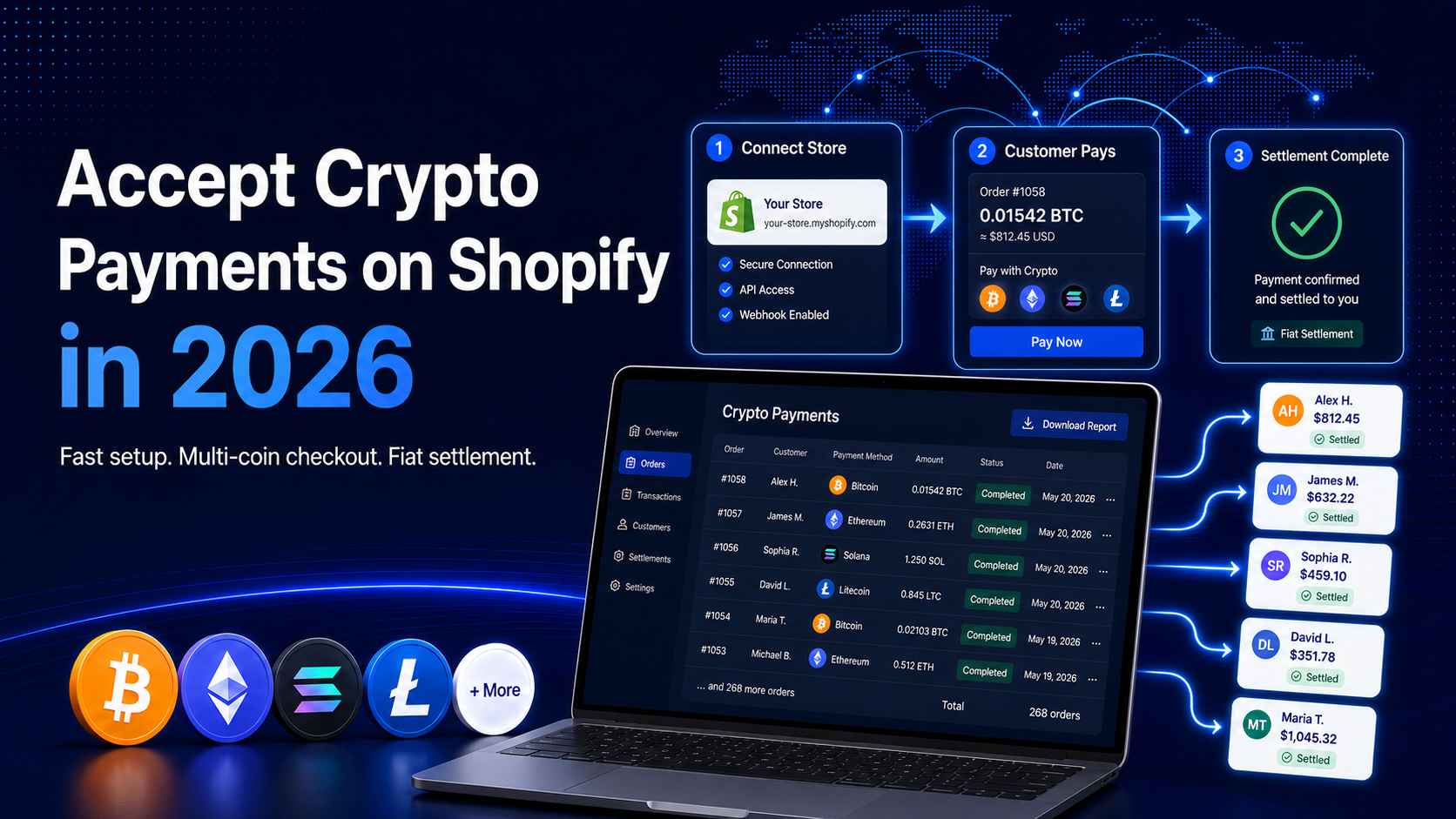
Shopify made a real change in 2025. Through a partnership with Coinbase and Stripe, USDC checkout is now built into Shopify Payments, so a store in a supported region can switch it on without a separate gateway. For a Shopify store already on Shopify Payments, it is the simplest way to add a stablecoin option.
The native route has limits. It accepts USDC only, runs on a single network, and is available in roughly 34 countries. If you want to accept a wider set of stablecoins or crypto, settle into more fiat currencies, or operate outside those 34 countries, you need a second route. This guide covers both, step by step.
In this guide, you’ll learn:
How Shopify’s native USDC checkout works and how to turn it on
How to accept a wider range of stablecoins or crypto on Shopify with EukaPay
How the two routes compare on tokens, settlement currencies, and risk handling
Which route fits your store, and how to get started
Shopify’s native USDC checkout
In June 2025, Shopify announced that merchants across 34 countries can accept USDC, the dollar-backed stablecoin issued by Circle, directly through Shopify Payments. According to Shopify’s announcement, the feature was built with Coinbase and Stripe, runs on Base (an Ethereum Layer 2 network), and requires no separate gateway or new integration.
A few details matter for store owners, all drawn from Shopify’s own materials:
How customers pay.
Per Shopify’s news post, buyers can pay with USDC on Base from hundreds of supported crypto wallets, including on guest checkout and through Shop Pay.
How you get paid.
Shopify states that USDC payments convert to your local currency by default, with no foreign exchange or multi-currency fees, and deposit to your connected bank account. You can instead keep USDC and claim it manually from the Finance or Payouts page.
The plumbing.
Shopify and Coinbase describe a first-of-its-kind escrow smart contract supporting the “authorize now, capture later” mechanics merchants expect, including refunds.
Turning it on - the native steps
According to the Shopify Help Center, activation lives inside your existing payment settings. The flow is short:
Confirm your store has Shopify Payments active and is located in a supported region in North America, Europe, or Asia-Pacific.
From your Shopify admin, go to
Settings > Payments
.
In the Shopify Payments section, click
Manage
, then
Manage payment methods
.
In the
Crypto
section, verify identity and activate the
USDC
option.
Choose how you want to receive funds: in your payout currency as part of your normal payout, or as USDC you claim manually.
The trade-off is scope: it is USDC-only, on Base only, and limited to the supported countries. The next route is for stores that need more.
Accepting a wider range of crypto with EukaPay
EukaPay is a licensed global crypto payments and OTC trading platform that operates at the intersection of banking and blockchain. It is FINTRAC registered in Canada, FinCEN registered in the United States, and regulated by the Bank of Canada. For a Shopify store, EukaPay’s licensing means you are connecting to a regulated payments platform.
Where Shopify’s native option is USDC-only, EukaPay supports most major cryptocurrencies, including BTC, ETH, LTC, SOL, USDC, and USDT. Customers pay in crypto, and EukaPay provides instant crypto-to-fiat conversion at a locked exchange rate to remove all crypto volatility. The amount you charge is the amount you receive, and auto-convert means you carry zero crypto on your balance sheet. EukaPay settles to your bank account in USD, EUR, GBP, CAD, and adds protection against chargebacks on crypto pay-ins. EukaPay already supports payments for organizations including Fiserv, Moneris, Emerald, PropellerAds, SBC, Futurist Conference, DoradoBet, Land Services Group, and Flygta Airlines.
Connecting EukaPay to Shopify - the steps
EukaPay connects to Shopify from your EukaPay dashboard, with no custom coding required. Based on EukaPay’s support documentation, the setup runs as follows:
In your EukaPay merchant dashboard, open the Shopify integration and start connecting your store.
Provide your Shopify store domain and an API token so EukaPay can link to your store.
Install the generated script or checkout option that EukaPay provides.
Enable EukaPay as a payment option at checkout, so customers can choose to pay with crypto.
Once active, a customer who selects that option at checkout receives a payment invoice by email from EukaPay and completes the crypto payment from there. If your storefront is highly customized, you can also accept crypto through EukaPay Checkouts and Payment Links, since exact menu paths vary across Shopify themes and plans. Either way, EukaPay handles the conversion and settles fiat to your bank.
Every EukaPay merchant goes through a business review during onboarding, and a sandbox is available while the review is underway, so you can build and test the flow before going live.
Native USDC vs EukaPay - a side-by-side
Capability | Shopify native USDC | EukaPay |
Tokens supported | USDC only, on Base | BTC, ETH, LTC, SOL, USDC, USDT |
Settlement currencies | Local currency or USDC | USD, EUR, GBP, CAD to your bank account |
Chargeback protection | Not described as a feature | Protection against chargebacks on crypto pay-ins |
Volatility handling | USDC is dollar-pegged; no conversion for non-USDC assets | Instant crypto-to-fiat conversion at a locked exchange rate |
Availability | Roughly 34 countries, supported Shopify Payments regions | Available to reviewed merchants on supported networks |
EukaPay is the route when you want broader stablecoins or crypto acceptance, settlement in USD, EUR, GBP, CAD, and protection against chargebacks. Shopify’s native USDC fits when USDC alone is enough and your store sits in a supported region. For anything beyond that, EukaPay carries it.
One platform underneath
Whether you accept crypto through a Shopify checkout option, a hosted checkout, or a payment link, the same EukaPay platform sits underneath: instant crypto-to-fiat conversion at a locked exchange rate to remove all crypto volatility, protection against chargebacks, support for a wide range of cryptocurrencies, and settlement in USD, EUR, GBP, CAD to your bank account.
That single platform also powers EukaPay’s other products, so a Shopify store can grow into Invoices, Payment Links, Subscriptions (recurring invoices sent on a weekly, monthly, quarterly, or custom schedule), Mass Crypto Payouts, and a developer API without changing platforms. For more on how merchants combine these, see EukaPay’s roundup of
companies accepting crypto payments in 2026
and its take on
why trust is now the product in crypto
.
Other ways to accept crypto on Shopify
Other gateways exist for accepting crypto on Shopify. If you are weighing them up, our comparison of the
best crypto payment gateways for e-commerce
sets out how they differ. EukaPay stands apart as the licensed, multi-token option that converts crypto to fiat and settles to your bank account in USD, EUR, GBP, CAD.
Get started with EukaPay
Ready to accept stablecoins or crypto on your Shopify store with fiat settlement in USD, EUR, GBP, CAD? Create your account from the
to begin the business review and access the sandbox, then connect EukaPay as a crypto payment option. If you or your developer (or coding agent) want a more custom flow, EukaPay’s developer API documentation covers checkouts, invoices, and payouts. Explore more guides at
and on the
.
Frequently asked questions
Can I accept more than just USDC on my Shopify store?
Yes. EukaPay supports BTC, ETH, LTC, SOL, USDC, and USDT and converts them to fiat for you, versus Shopify’s USDC-only native checkout.
How do I avoid crypto price swings between checkout and settlement?
EukaPay applies instant crypto-to-fiat conversion at a locked exchange rate to remove all crypto volatility. The amount you charge is the amount you receive, and auto-convert means you hold zero crypto on your balance sheet.
What currencies can I settle into?
With EukaPay, crypto pay-ins settle to your bank account in USD, EUR, GBP, CAD. Shopify’s native USDC option pays out in your local currency by default or lets you keep USDC.
Does crypto on Shopify expose me to chargebacks?
EukaPay adds protection against chargebacks on crypto pay-ins, which differs from card payments where a transaction can be reversed after settlement.
Is EukaPay regulated?
Yes. EukaPay is FINTRAC registered in Canada, FinCEN registered in the United States, and regulated by the Bank of Canada, so you are connecting to a licensed payments platform.
How fast can I start accepting crypto with EukaPay?
Every merchant goes through a business review during onboarding, and a sandbox is available while the review is underway, so you can build and test your Shopify checkout before going live.
My country is not in Shopify’s 34-country list. Can I still accept crypto?
EukaPay is a separate, licensed platform available to reviewed merchants on supported networks, so it can be an option where the native feature is not offered. Confirm availability during your review. By contrast, Shopify’s native USDC is limited to roughly 34 countries.
Can I set up recurring crypto billing on Shopify?
EukaPay’s Subscriptions product sends invoices on a recurring schedule, weekly, monthly, quarterly, or custom, through the dashboard and API. It handles recurring invoicing rather than programmatic billing-cycle control.
Products
Use Cases
© 2026 EukaPay. All rights reserved.
FINTRAC: M22233887