How to automate stablecoins or crypto payouts with a crypto payout API
August 28, 2026
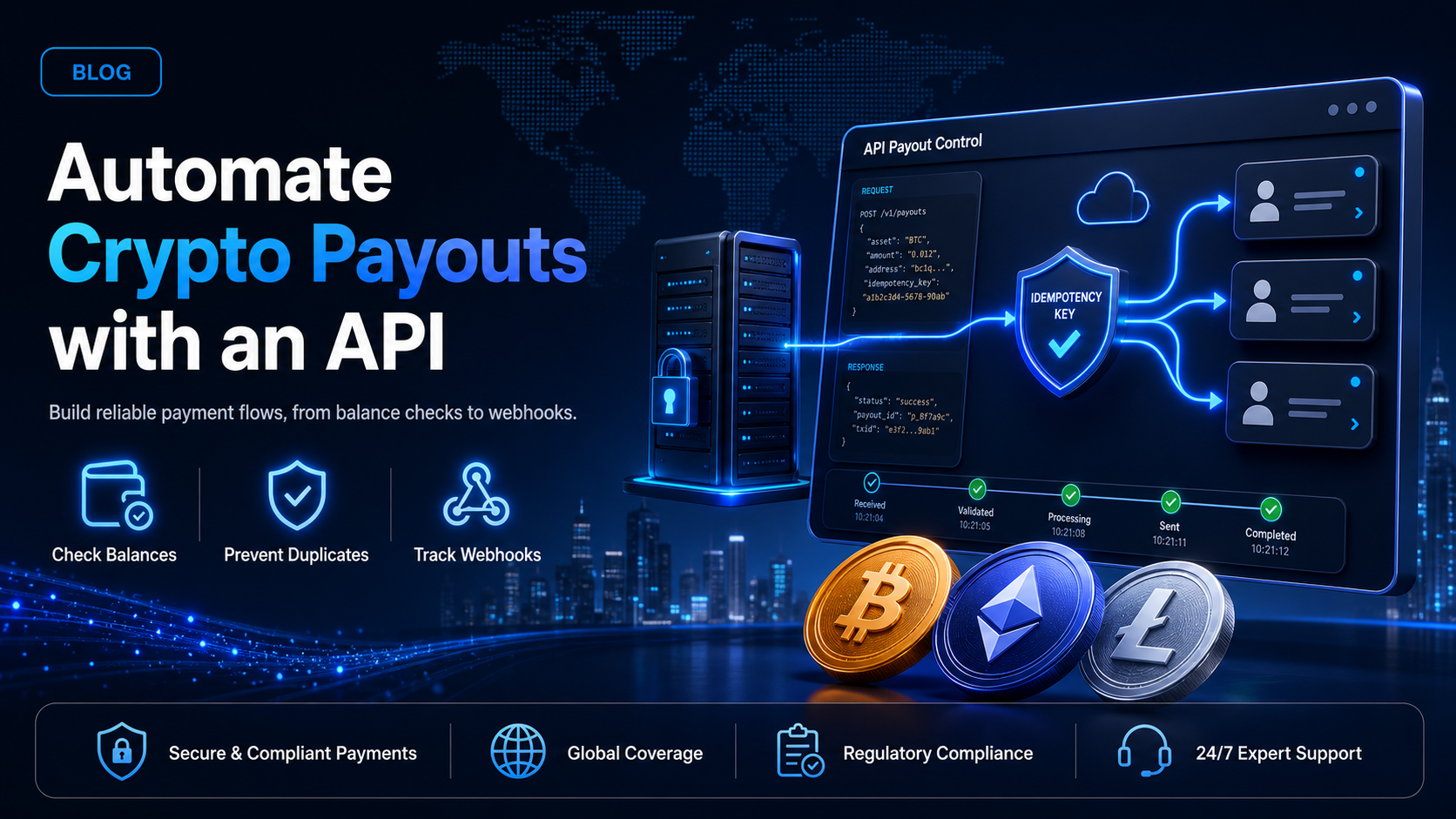
Paying one contractor in crypto is a manual task that takes two minutes. Paying four hundred of them every second Friday is an engineering problem. Somewhere between those two volumes, most finance teams stop copying addresses into a dashboard and ask a developer (or coding agent) to wire the payouts into the system that already knows who is owed what.
A crypto payout API is the component that does that work. This guide covers the six endpoints EukaPay exposes for payouts, the order you should call them in, and the one header that stops a retry from paying somebody twice.
In this guide, you'll learn:
Which payout endpoints exist and what each one is actually for
How to check your available balance and estimate network fees before you send
How to use idempotency keys so a timeout never turns into a duplicate payment
How to track payout status through webhooks instead of polling
What a crypto payout API does
A payout API moves value in the opposite direction from a payment gateway. Instead of collecting funds from a customer, you are sending funds to a recipient: a contractor, an affiliate, a player withdrawing a balance, or a vendor invoice you have approved for payment.
EukaPay exposes six endpoints for this work, all under
/crypto_payouts:
Endpoint | What it does |
|---|---|
| Returns the balance available to pay out |
| Returns a fee and amount estimate before you commit |
| Creates a single payout |
| Lists payouts, with cursor pagination |
| Retrieves one payout by its code |
| Updates a payout |
One point to be clear about, because it shapes how you design the integration:
POST /crypto_payoutscreates
one
payout per call. There is no bulk endpoint that accepts an array of recipients. Paying four hundred contractors means four hundred calls, which is a solved problem once your queue and your idempotency keys are correct. If you would rather not build that loop, EukaPay also accepts a CSV upload in the merchant dashboard for batch runs. The API route and the CSV route reach the same payout rails.
Before your first payout
API keys - one per environment
Generate keys in the merchant dashboard under Settings > Integrations > API keys. Keys carry an environment prefix, so
sk_test_keys work against staging and
sk_live_keys work against production. The secret is displayed once at creation, so store it in your secret manager at that moment.
Authentication is a single custom header. There is no bearer token and no request signing on outbound calls:
curl "https://api.eukapay.com/crypto_payouts/balance" \
  -H "x-api-key: sk_live_YOUR_KEY"
Two details that catch developers out. The production host is
https://api.eukapay.comand staging is
https://api-stg.eukapay.com. And there is no version prefix in the path: the endpoint is
/crypto_payouts, not
/v1/crypto_payouts, even though the reference is labelled v1.0.
Check the balance before you build the batch
Every payout run should start by asking what is actually available.
GET /crypto_payouts/balanceanswers that, and calling it first turns a mid-batch failure into a pre-batch decision.
curl "https://api.eukapay.com/crypto_payouts/balance" \
  -H "x-api-key: sk_live_YOUR_KEY"
The response is keyed by fiat currency, and it distinguishes your total from what you can actually spend:
{
  "CAD": {
    "amount": 123.45,
    "availableAmount": 111.11
  }
}
Read
availableAmount, not
amount. The two differ when funds are committed but not yet cleared, and a batch sized against
amountwill fail partway through. If the available balance will not cover the run, top up from your settlement balance using
POST /balance/transferbefore you begin, rather than discovering the shortfall on payout two hundred and seventeen.
Estimate the cost - POST /crypto_payouts/estimate
Network fees on a payout are real money and they vary by chain. The estimate endpoint prices a payout before you commit to it, which matters when the fee on one network is a rounding error and on another it is a meaningful percentage of a small payment.
curl -X POST "https://api.eukapay.com/crypto_payouts/estimate" \
  -H "x-api-key: sk_live_YOUR_KEY" \
  -H "Content-Type: application/json" \
  -d '{
    "cryptocurrencySymbol": "BTC",
    "blockchainNetwork": "Bitcoin",
    "sourceAmount": 1000
  }'
{
  "sourceAmount": 1000,
  "destinationAmount": 0.0061364,
  "sourceCurrency": { "name": "Canadian Dollar", "unit": "CAD", "sign": "CA$" },
  "destinationCurrency": { "name": "Bitcoin", "unit": "BTC", "network": "Bitcoin" }
}
The estimate endpoint is narrower than EukaPay's full currency list, and the constraint is worth designing around rather than discovering in production. It accepts
cryptocurrencySymbolvalues of
USDC,
USDT,
ETHand
BTConly, and
blockchainNetworkvalues of
Ethereum,
Tronand
Bitcoinonly.
Note also that estimate is the one create-shaped endpoint that does not accept
x-idempotent-key. It does not move money, so a repeated call costs you nothing beyond a request.
In practice this means USDT payouts on Tron are the cheapest high-volume option available, which is why most contractor and affiliate programmes settle on USDT over Tron once volume grows.
Creating a payout
A payout is a single
POST /crypto_payoutscall. One detail catches almost everyone: this endpoint takes
multipart/form-data, not JSON. It is the only create endpoint in the API that does, because recipients in high-risk countries require a supporting document as a file part.
curl -X POST "https://api.eukapay.com/crypto_payouts" \
  -H "x-api-key: sk_live_YOUR_KEY" \
  -H "x-idempotent-key: 8f14e45f-ceea-467a-9f4a-1c2e7d5a9b30" \
  -F "cryptocurrencySymbol=USDC" \
  -F "blockchainNetwork=Ethereum" \
  -F "destinationAmount=200" \
  -F "walletAddress=0xAb5801a7D398351b8bE11C439e05C5B3259aeC9B" \
  -F "firstName=Satoshi" \
  -F "lastName=Nakamoto" \
  -F "address1=123 ABC St." \
  -F "city=Toronto" \
  -F "state=Ontario" \
  -F "country=Canada" \
  -F "zip=M5B 2H1" \
  -F "email=recipient@example.com" \
  -F "purposeOfFunds=invoice_payment"
The response comes back as JSON:
{
  "code": "cpo_pGmNtGRwtOM7464dsmqZZnHPVt",
  "sourceAmount": 200,
  "destinationAmount": 0,
  "walletAddress": "0xAb5801a7D398351b8bE11C439e05C5B3259aeC9B",
  "firstName": "Satoshi",
  "lastName": "Nakamoto",
  "city": "Toronto",
  "state": "Ontario",
  "country": "Canada",
  "zip": "M5B 2H1",
  "email": "recipient@example.com",
  "purposeOfFunds": "invoice_payment",
  "purposeDescription": "",
  "status": "Processing",
  "createdAt": "2024-03-08T14:23:04.450Z",
  "updatedAt": "2024-03-08T14:23:04.450Z",
  "sourceCurrency": { "name": "Canadian Dollar", "unit": "CAD", "sign": "CA$" },
  "destinationCurrency": { "name": "USD Coin", "unit": "USDC", "network": "Ethereum" },
  "requiresComplianceReview": false
}
Four field rules worth knowing before you write the loop.
cryptocurrencySymboland
blockchainNetworkare the only two formally required fields. You specify either
sourceAmount, which is the fiat amount to send, or
destinationAmount, which is the crypto amount, and never both. Minimum destination amounts are 0.001 BTC, 0.02 ETH, 100 USDT and 100 USDC. And
firstNameand
lastNameare required unless you pass a
customerCodefor a saved recipient, which is the cleaner pattern for anyone you pay repeatedly.
purposeOfFundsaccepts
contract_payment,
employee_payment,
invoice_payment,
professional_service_paymentsor
other, and
purposeDescriptionbecomes required when you choose
other. Recipients in grey-list countries require
email, and recipients in Russia or Ukraine require both a
purposeOfFundsvalue and a
supportingDocumentfile part of up to 5 MB as PDF, JPG or PNG.
Idempotency keys - the header that prevents double payments
This is the section most payout tutorials skip, and it is the one that costs real money when it is missing.
A payout request can time out after the server has already accepted it. Your HTTP client sees a failure, your retry logic fires, and without protection the recipient is paid twice. Crypto payouts are irreversible, so there is no chargeback to fall back on.
EukaPay accepts an
x-idempotent-keyheader to close that gap. You generate the value, the documentation recommends a V4 UUID, it can be up to 255 characters, and keys expire after 24 hours. If a request arrives carrying a key EukaPay has already seen, it is recognised as a repeat rather than executed as a new payout.
Three rules make idempotency actually work:
Derive the key from the payout, not from the request.
A key generated fresh on every retry protects nothing. Derive it from something stable, such as the payroll run identifier plus the recipient identifier, so every retry of that specific payout carries the same key.
Persist the key before you send.
Write it to your database in the same transaction that marks the payout as attempted. If your process dies between generating the key and sending the request, the next run needs to find the same key.
Respect the 24-hour expiry.
A retry attempted more than a day later will not be recognised as a duplicate. For anything older, reconcile against
GET /crypto_payoutsbefore resending.
If the API returns an
idempotency_error, treat it as a signal to stop and reconcile against
GET /crypto_payoutsrather than to retry harder with a fresh key. EukaPay documents the three error types,
api_error,
idempotency_errorand
invalid_request_error, alongside a 409 Conflict status for requests that conflict with another request.
Tracking payout status
A created payout is not a completed payout. EukaPay publishes six status values for a crypto payout:
Status | What it means |
|---|---|
| Accepted, not yet actioned |
| Under compliance review before release |
| Being sent to the network |
| Broadcast to the recipient address |
| Failed |
| Cancelled before sending |
Reviewingdeserves a note, because it does not appear in the status list of unlicensed payout providers. EukaPay is registered with FINTRAC in Canada and FinCEN in the United States, and a registered processor screens outbound transfers. Build for it: a payout sitting in
Reviewingis working as designed, not stuck, and your internal status display should say so rather than showing your finance team a failure.
Webhooks for payouts
Polling
GET /crypto_payouts/{code}in a loop works, and it wastes your rate limit. Webhooks are the better pattern.
Configure an endpoint under Settings > Integrations > Webhooks. Four of EukaPay's eight webhook events cover payouts:
cryptoPayoutCreatedcryptoPayoutSentcryptoPayoutErrorcryptoPayoutRevoked
Verifying the signature - HMAC SHA-512
Every webhook arrives with an
x-eukapay-signatureheader containing an HMAC of the payload, keyed to the secret for that webhook. The algorithm is
SHA-512
, not the SHA-256 most gateways use. If a reviewer or a linter suggests correcting it to SHA-256, the correction is wrong.
const crypto = require('crypto');

function verifyEukaPaySignature(rawBody, signatureHeader, secret) {
  const digest = crypto.createHmac('sha512', secret).update(rawBody).digest('hex');
  if (digest.length !== signatureHeader.length) {
    return false;
  }
  return crypto.timingSafeEqual(Buffer.from(digest), Buffer.from(signatureHeader));
}
Use
timingSafeEqualrather than
===. A plain string comparison returns as soon as it finds a differing character, which leaks information about how much of a forged signature was correct.
One detail to settle against your own account before you rely on it. EukaPay's documentation gives two instructions that do not agree: the written steps say to use the payload "as it is without any alteration or converting to json," while the accompanying code sample calls
JSON.stringifyon an already-parsed body. Those two inputs produce different bytes whenever key order or whitespace differs, so they cannot both be correct. Capture the raw body as your framework delivers it, verify one real webhook against it, and if verification fails, try the re-serialised form before assuming your HMAC code is wrong.
Retries - plan for repeats
EukaPay retries a failed webhook delivery every 20 minutes for up to two hours. That schedule has a direct consequence: your handler will receive the same event more than once, and it must be safe to process twice. Record the
webhookIdyou have already handled and return early on a repeat.
Verify the signature, record the event, return a 2xx quickly, and do the slow work asynchronously. A handler that runs a database migration before responding will time out and trigger the retry schedule you were trying to avoid.
Paying many recipients
With the pieces above, a payout run at volume is a queue rather than a bulk API call:
Check
GET /crypto_payouts/balanceonce at the start of the run.
For each recipient, derive and persist a stable idempotency key.
Enqueue one
POST /crypto_payoutsjob per recipient.
Back off on a 429. EukaPay documents rate limiting and recommends exponential backoff, without publishing a specific requests-per-second figure, so treat the 429 itself as your signal rather than hard-coding a limit.
Let webhooks drive status. Reconcile anything that has not reported within your expected window against
GET /crypto_payouts.
The pattern scales because each payout is independent. A single failure retries on its own key without touching the other three hundred and ninety-nine.
One platform underneath
Payouts and pay-ins run on the same EukaPay account and the same infrastructure: instant crypto-to-fiat conversion at a locked exchange rate to remove all crypto volatility, protection against chargebacks, support for a wide range of cryptocurrencies, and settlement in USD, EUR, GBP, CAD to your bank account. EukaPay supports most major cryptocurrencies like BTC, ETH, LTC, SOL, USDC, USDT.
Crypto pay-ins and crypto payouts are peers rather than separate products. The balance a customer payment settles into is the balance a contractor payout draws from, which means one integration and one reconciliation surface instead of two.
Get started with EukaPay
Create an account at
, complete verification, provide your legal business information, then generate an API key.
The full payout reference, including request and response schemas for all six endpoints, is at
. Generate a
sk_test_key and run the flow against staging before you touch production. If you want the product context first, the
covers what settles where.
Frequently asked questions
Does EukaPay have a bulk crypto payout endpoint?
No.
POST /crypto_payoutscreates one payout per call. For batch runs without writing a loop, EukaPay accepts a CSV upload in the merchant dashboard, which uses the same payout rails as the API.
How do I stop a retry from paying a recipient twice?
Send an
x-idempotent-keyheader with every payout request, derived from something stable like the payroll run plus the recipient identifier. Keys expire after 24 hours, so reconcile anything older against
GET /crypto_payouts.
What does the Reviewing payout status mean?
The payout is under compliance review before release. EukaPay is registered with FINTRAC and FinCEN, and a registered processor screens outbound transfers. A payout in
Reviewingis progressing normally.
Which currencies and networks can I estimate payouts for?
POST /crypto_payouts/estimateaccepts
USDC,
USDT,
ETHand
BTC, on
Ethereum,
Tronand
Bitcoin.
What hashing algorithm does EukaPay use for webhook signatures?
HMAC SHA-512, sent in the
x-eukapay-signatureheader. Compute your comparison HMAC over the raw request body.
How often does EukaPay retry a failed webhook?
Every 20 minutes for up to two hours. Your handler should be idempotent, because it will receive repeats.
Can I pay out in fiat instead of crypto?
Yes. EukaPay settles to your bank account in USD, EUR, GBP, CAD, and Canadian merchants can also take Interac withdrawals.
Products
Use Cases
© 2026 EukaPay. All rights reserved.
FINTRAC: M22233887